Subcontractor payment software with year-end already done
Everything you owe — approved task work, deposit/progress/balance schedules, expense requests — in one queue, paid over real bank rails in a click. W-9s, lien waivers and 1099-NEC forms stop being a January panic.
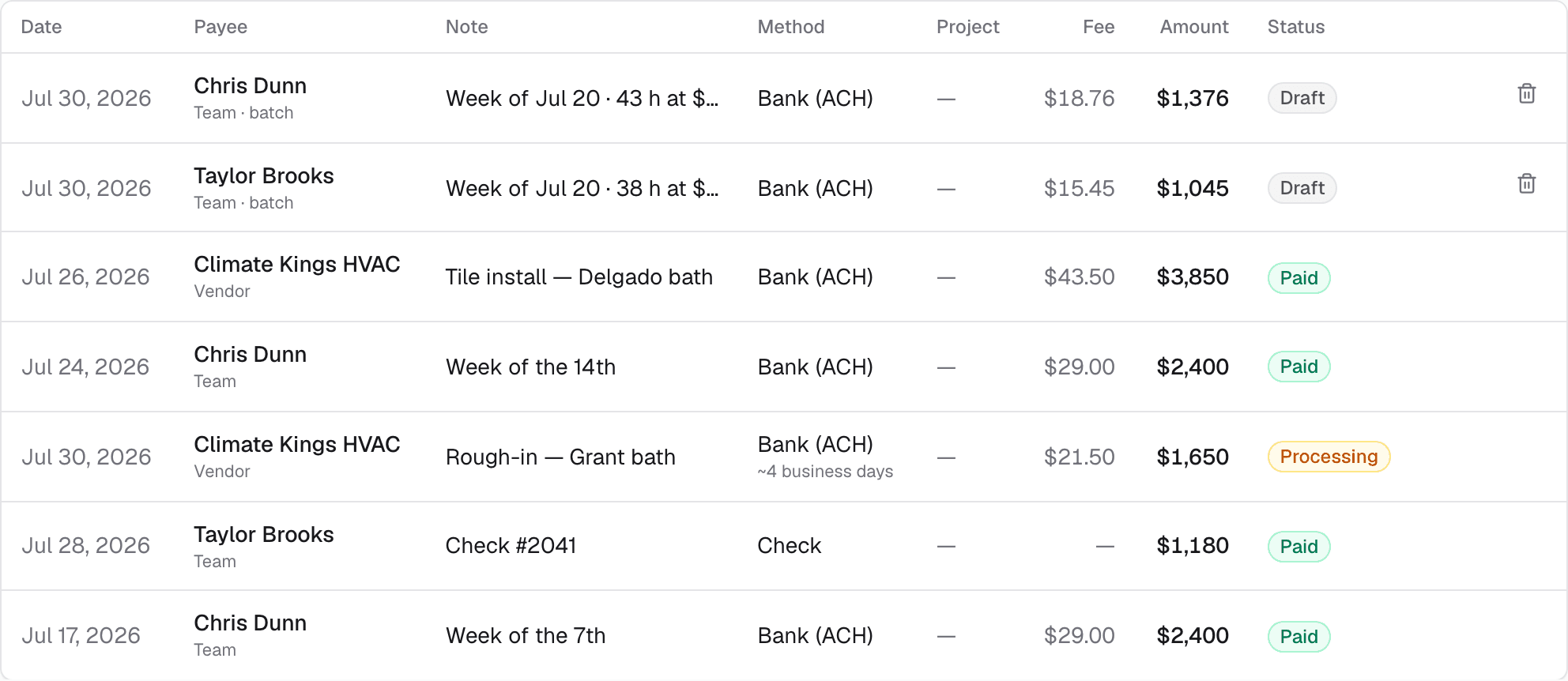
- Paying subs means a Friday of checks, apps and 'did that go through?'
- January means digging a year of payments out of bank statements for 1099s.
- Lien waivers are a form nobody has, signed nowhere, found never.
One queue for everything you owe
Approved task pay, sub expense requests and scheduled runs line up in one place. Pay by ACH or card in a click, or record checks and cash — every payment lands in the same ledger, with its status and the job it was for.
Pay subs on a schedule
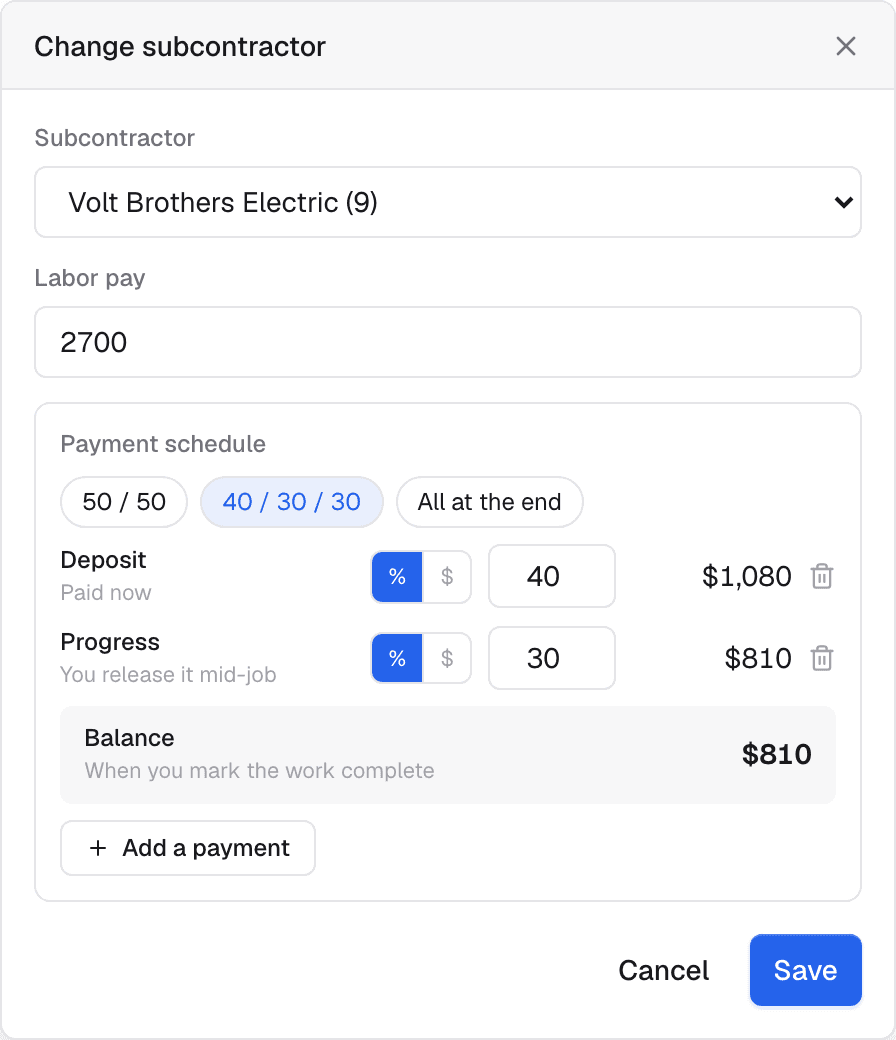
Put a sub on a phase and set how they get paid — a 50/50 deposit-and-balance, or 40/30/30. The deposit is payable at once; the mid-job payment waits for you to release it; the balance falls due at completion. The schedule stands in for retainage.
Subs onboard their own bank details
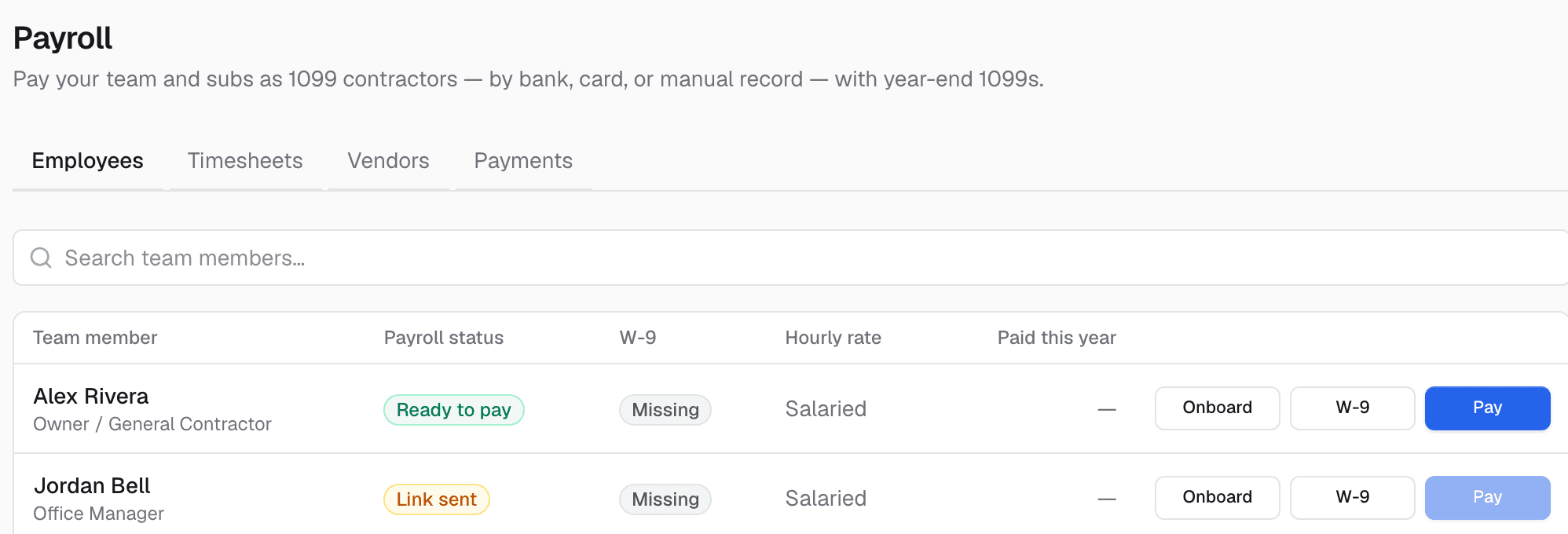
Send a link; the sub enters their own bank details on a secure page — you never touch account numbers. Record their W-9 once and it's on file for 1099 season.
Expense requests with a camera, not a shoebox
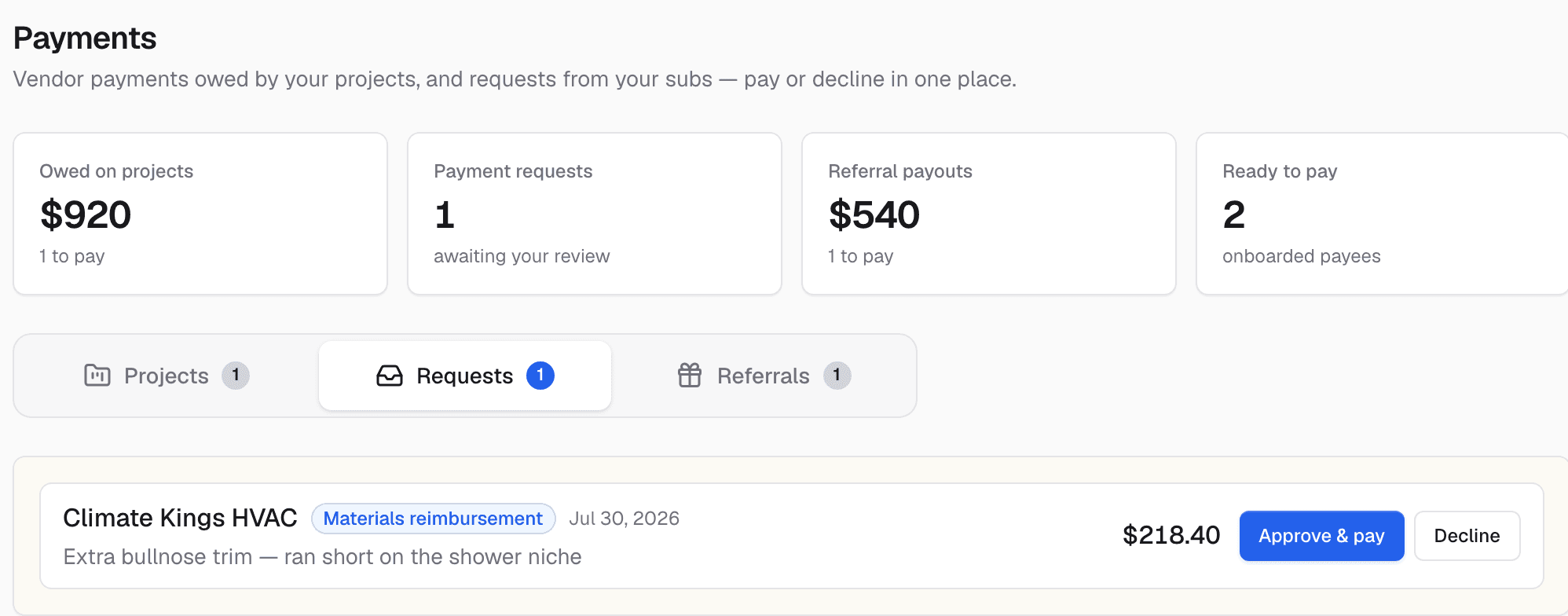
A sub photographs the receipt in their portal; the AI reads the total, description and category and fills the request. You approve or decline — with the receipt attached forever.
Recurring pay runs, drafted not fired
Weekly or monthly runs draft themselves on schedule, then wait for your one-click send. Money never moves without a human on the button.
1099s and lien waivers, without the shoebox
Every payment is tracked per payee all year, so year-end is a review — with filled IRS 1099-NEC recipient copies prepared for you. Request a lien waiver on any payment and the sub e-signs it in their portal; the signed record chips onto the payment.
What it does while you sleep
These run on their own — no reminders to remember, no tabs to check.
- Drafts what you owe a sub the moment their work is approved
- Reads receipts with AI and fills the expense request
- Drafts recurring pay runs on schedule — you just press send
- Tracks every payee's totals all year for 1099 season
It doesn't work alone
Subcontractor Payroll hands off to the rest of the system automatically.
See Subcontractor Payroll on your own jobs
A 30-minute walkthrough on real-looking data for your trade.
Frequently asked questions
Is this real payroll with tax withholding?
It's 1099 contractor pay — no withholding, which is how most trade businesses pay their subs. You get the ledger, the W-9s and prepared 1099-NEC forms. For hourly W-2-style crew with a time clock and weekly hours, see Time Clock & Hourly Pay.
Do my subs have to accept digital payment?
No. Pay by ACH or card when they onboard, or record checks and cash — either way the payment history and 1099 totals stay complete.
Who files the 1099s?
The system prepares filled recipient copies and yearly totals; filing goes through your accountant or an e-file provider. It's a preparation aid, not a tax filing service.