One inbox for your email, texts and phone calls
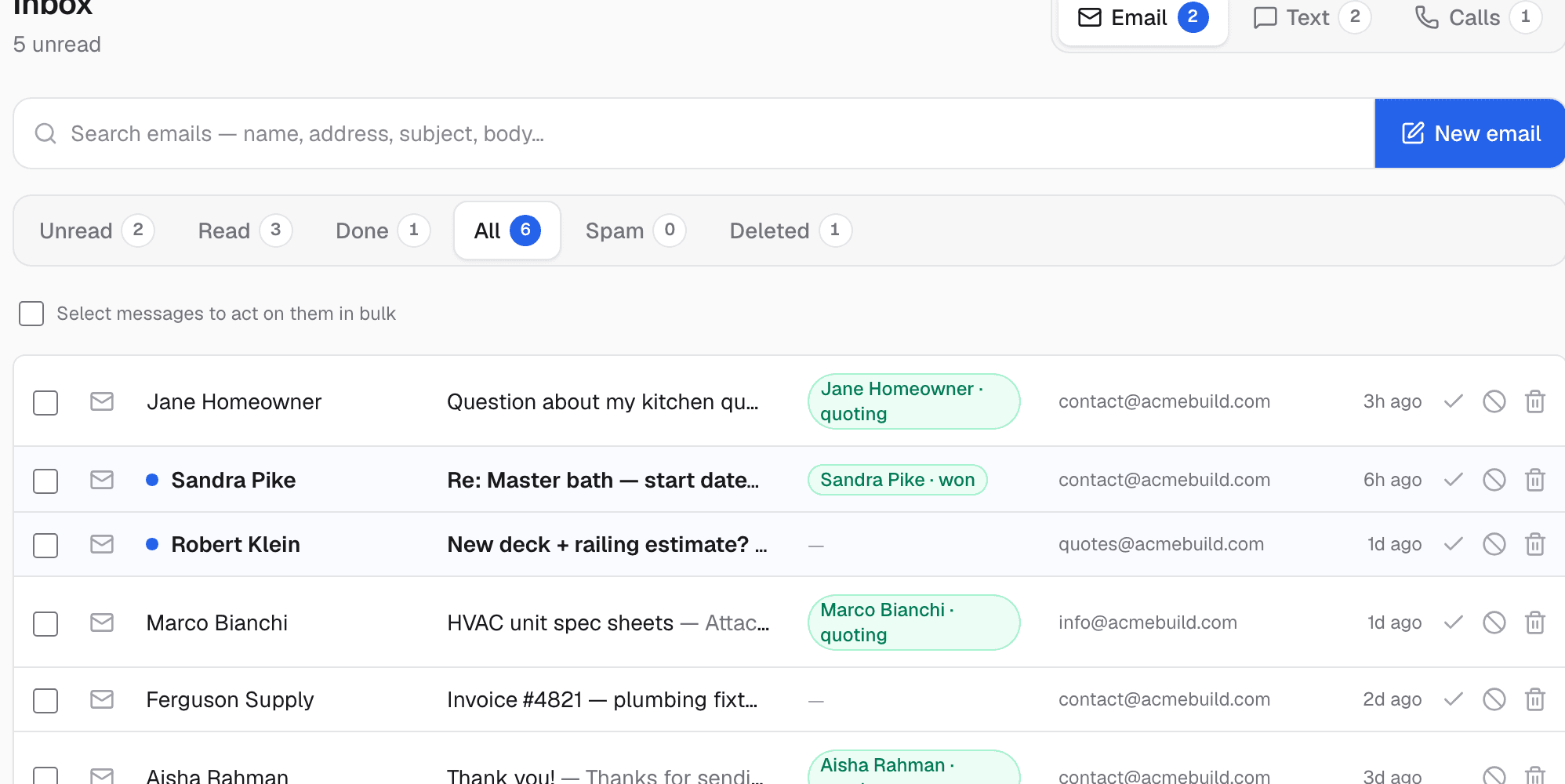
Stop checking three apps. Every client email, text message and phone-call summary lands in one list you can clean up like Gmail — and the AI drafts the reply for you to review.
- Client messages are split across a phone, two email accounts and voicemail.
- You spend evenings typing the same kinds of replies over and over.
- Something important always slips because it arrived on the wrong channel.
Three channels, one list
Emails, text conversations and call summaries — including what the AI receptionist handled — merge into a single time-sorted inbox with unread counts per channel.
Clean it up like Gmail
Tabs for unread, read, done and spam; bulk-select rows and mark them read, done or deleted in one click. Inbox zero on a jobsite lunch break.
AI drafts the reply — you press send
The assistant reads the message, the conversation history and the client's actual project status, then drafts a reply in your voice. You can steer it with one line ('tell them Thursday works'), edit, and send. It never sends on its own.
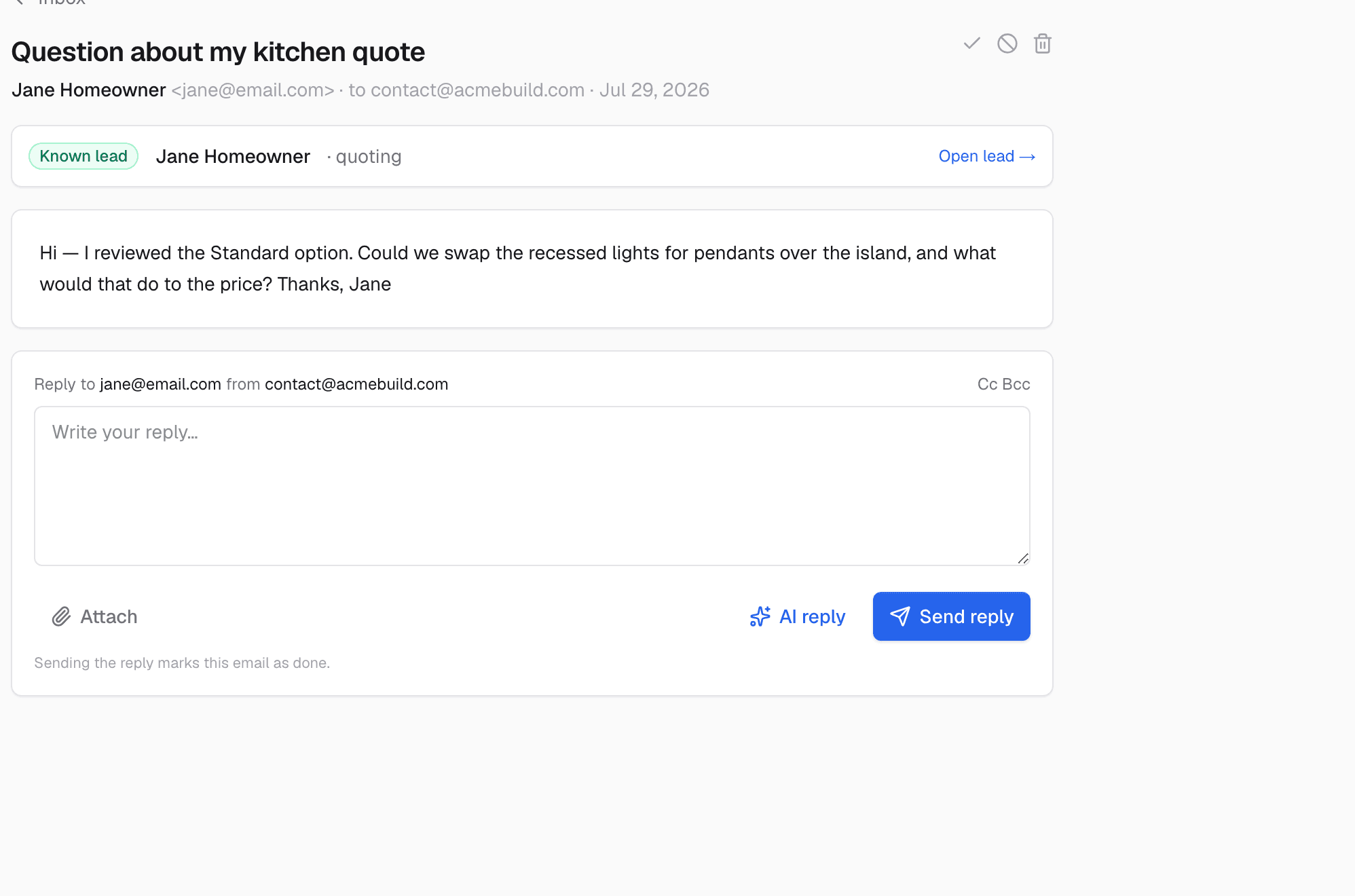
It knows what's safe to say
Drafts pull from client-facing facts only — quotes, schedules, payment status. Your internal costs, margins and vendor bids are walled off and can never leak into a reply.
Replies from your business identity
Email goes out from your domain; texts go out from your business number. Clients see one consistent company, not a personal cell.
What it does while you sleep
These run on their own — no reminders to remember, no tabs to check.
- Merges email, SMS and call summaries around the clock
- Matches messages to the right lead automatically
- Drafts replies with the client's real project facts
- Keeps internal costs and margins out of every draft
It doesn't work alone
Unified Inbox hands off to the rest of the system automatically.
See Unified Inbox on your own jobs
A 30-minute walkthrough on real-looking data for your trade.
Frequently asked questions
Does the AI send replies automatically?
No. It drafts; you review, edit and send. Automatic sending is reserved for the follow-up sequences and reminders you explicitly turn on.
Can my clients tell it's AI?
Drafts are written in plain language from your business's real facts, and you approve every one — so what clients see is your reply, faster.
What about my existing email address?
Your business domain connects so mail sends and receives under your name. Texting runs on your business line.