A construction time clock and hourly pay for your own crew
One tap to clock in, one to clock out. Hours add themselves up into an editable weekly timesheet, and the week's pay run drafts itself for you to review and send — no spreadsheet, no shoebox of paper cards.
- Hours come in on scraps of paper, texts, and 'trust me, it was about 40.'
- Sunday night is you, a calculator, and a stack of timecards.
- You can't tell what a week of labor actually cost until it's long gone.
One tap to start the day
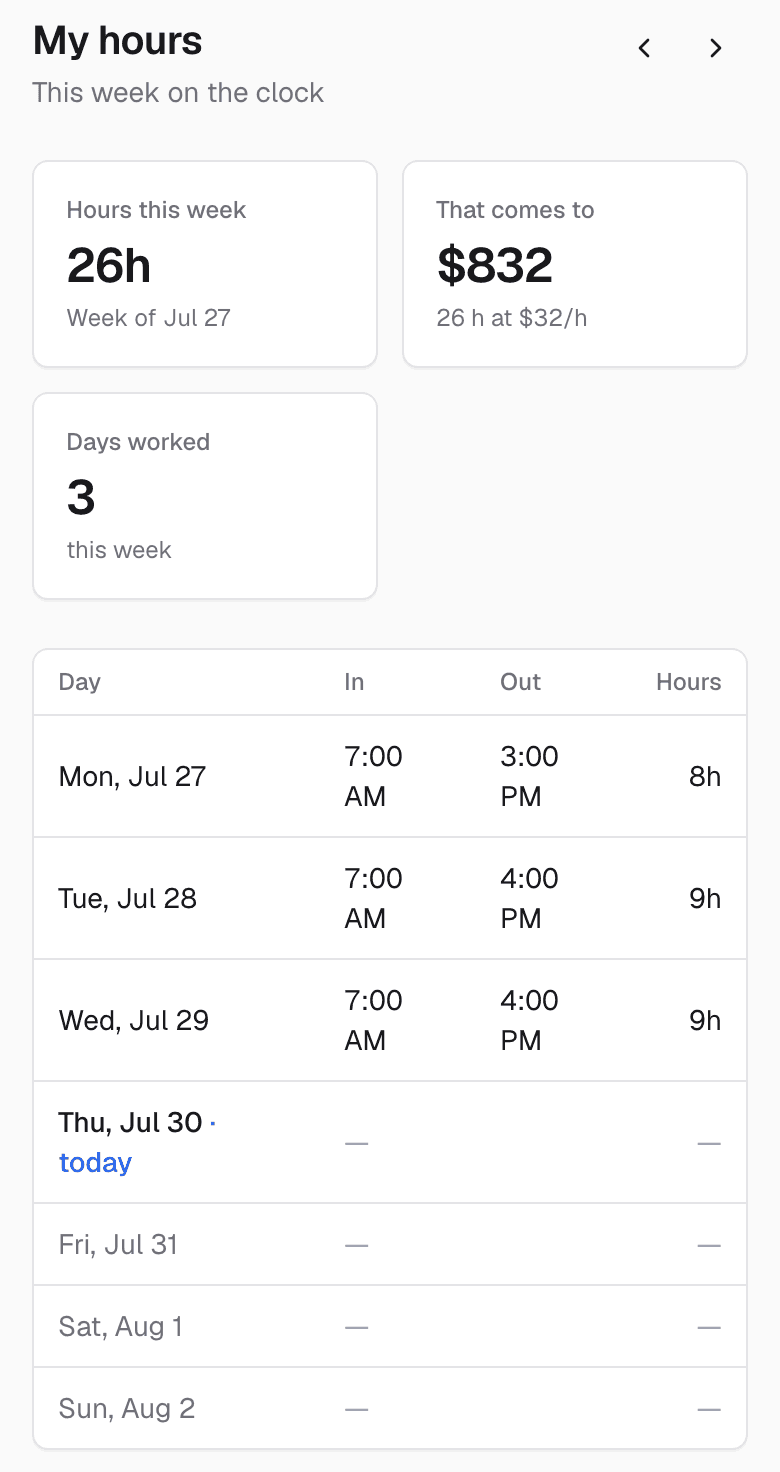
An hourly employee opens the app and taps Clock in — no job picker, no fuss. It counts up from there, and one tap clocks them out. Their own 'My hours' page shows the week and what it comes to at their rate.
The whole crew's week, editable in place
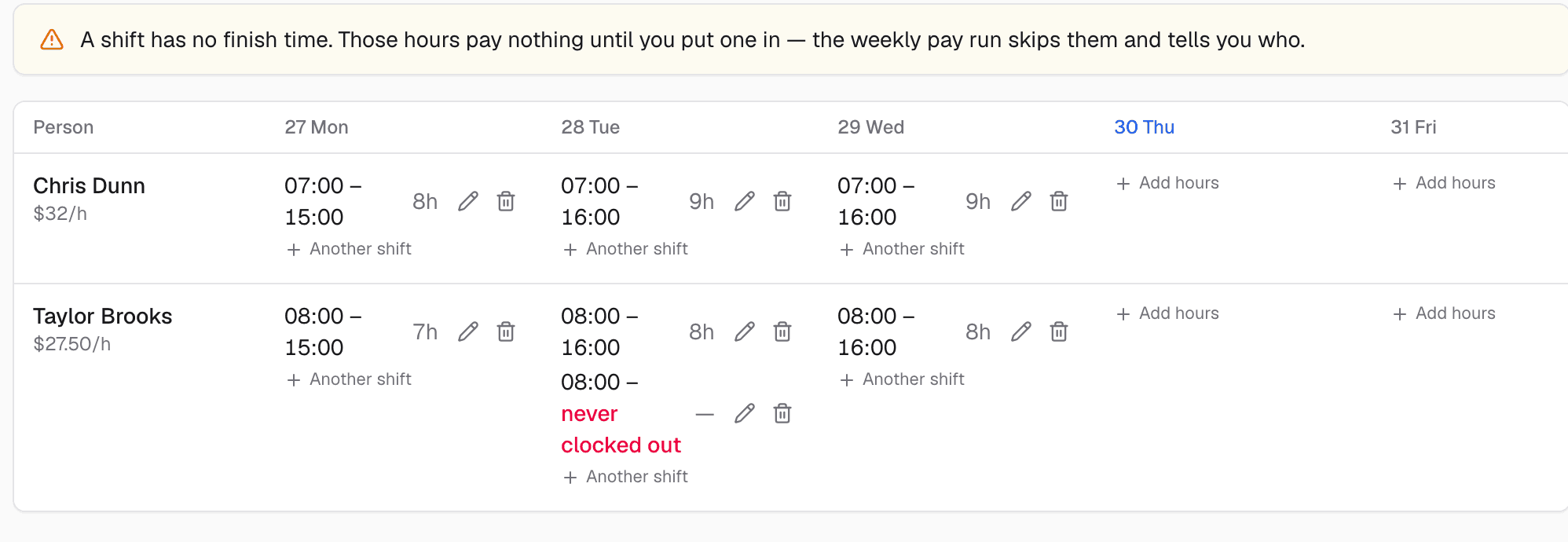
The Timesheets tab lays out every hourly person, a column per day, hours and pay for the week. Somebody forgot to clock out? Fix the shift right there — recorded and paid time never disagree.
A rate is the only setup
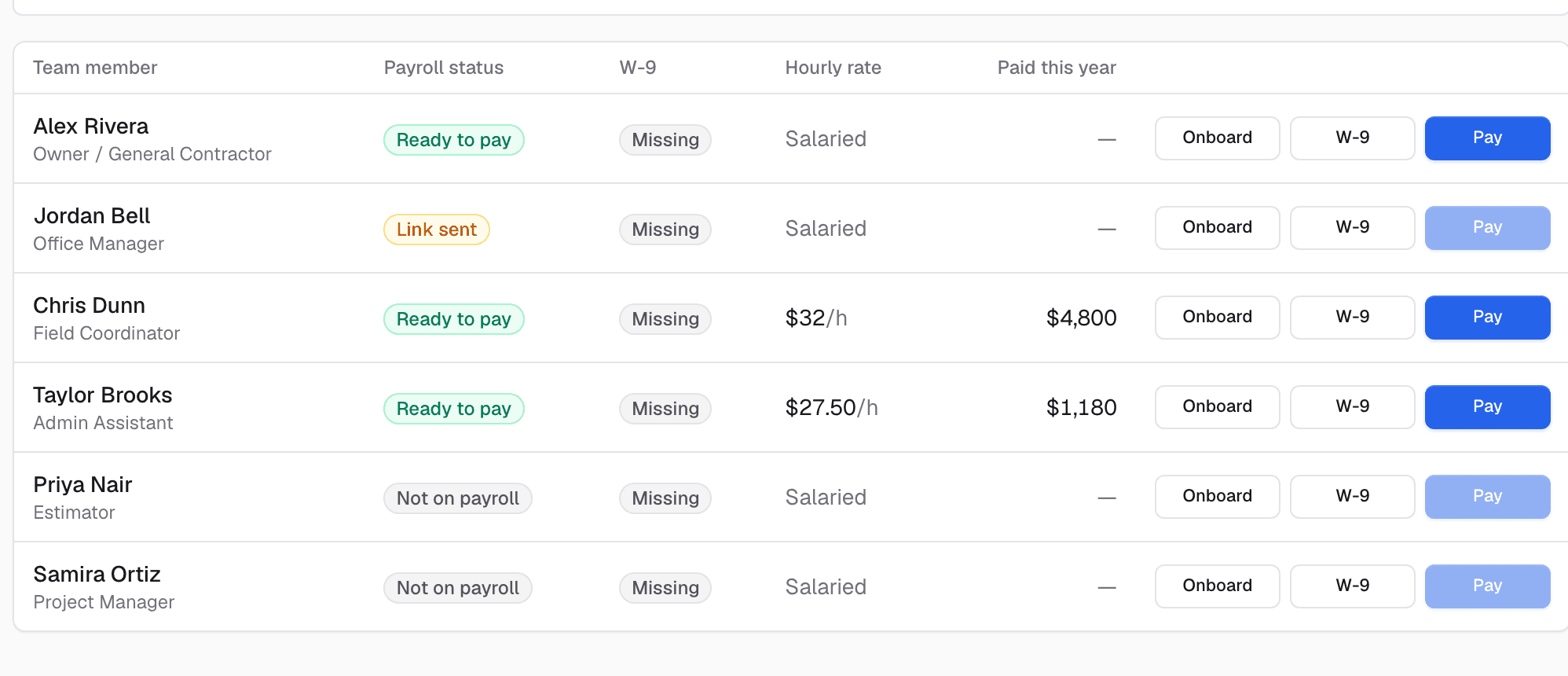
Give someone an hourly rate and they're on the clock; leave it blank and they're salaried and skipped. That one field is the whole switch.
Monday's pay run drafts itself
Each Monday the week's run drafts from the hours worked — recalculate if a timesheet changed, then send. It never moves money on its own; you're always the one who presses go.

What it does while you sleep
These run on their own — no reminders to remember, no tabs to check.
- Adds up clocked hours into a weekly timesheet automatically
- Drafts Monday's pay run from the week worked
- Shows each employee their own hours and pay
- Never sends a pay run without a human pressing go
It doesn't work alone
Time Clock & Hourly Pay hands off to the rest of the system automatically.
See Time Clock & Hourly Pay on your own jobs
A 30-minute walkthrough on real-looking data for your trade.
Frequently asked questions
How is this different from Subcontractor Payroll?
Subcontractor Payroll pays 1099 subs against jobs. Time Clock is for your own hourly crew — clock in/out, weekly timesheets, and an automatic weekly pay run. Different people, different flow; both live in the same system.
Does it handle overtime?
It pays straight time on the hours worked — simple and predictable. It isn't a full tax-withholding payroll engine, so for complex overtime or W-2 tax handling, pair it with your accountant.
Does each person see everyone's pay?
No. An employee sees only their own hours and pay on their My hours page. The full crew timesheet is for owners and admins.